
Download Big Day Countdown – free customizable countdown timer for Windows
Overview
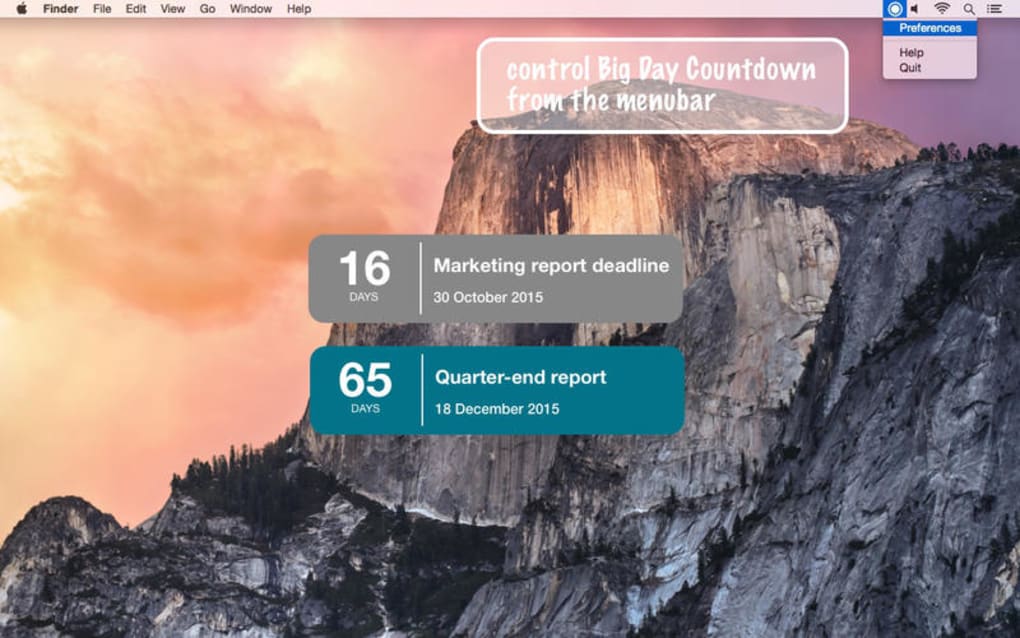
Big Day Countdown is a lightweight Windows desktop utility that keeps you aware of every important moment you’ve marked on your calendar. Whether you’re counting down to a wedding, a product launch, an exam, or a critical work deadline, this tool continuously shows the remaining days, hours, minutes, and seconds in a clear, visually appealing window that can sit on top of any other application. The core idea behind the software is simple: eliminate the chance of forgetting a “big day” by giving you a constant visual reminder.
Unlike generic fitness trackers or sleep timers, Big Day Countdown focuses on celebration and productivity, offering an intuitive interface where you can create multiple events, assign distinct colors, and set personalized alerts that trigger a few minutes, hours, or even seconds before the moment arrives. The timer also doubles as an alarm, sounding an audible cue at the exact moment your event begins. With its minimal system footprint, the app runs smoothly on most Windows versions without draining resources, making it a reliable companion for both personal and professional planning.
The combination of real‑time countdown, customizable appearance, and flexible alert settings makes it a standout tool for anyone who wants to stay on top of life’s milestones while adding a touch of fun to the process.
Key Features
- Multiple Event Support: Create as many countdowns as you need, each with its own title, date, and visual style.
- Customizable Appearance: Choose background colors, text colors, solid or transparent window styles, and even adjust opacity for a seamless desktop integration.
- Pre‑Alert Options: Set reminders to trigger minutes, hours, or seconds before the event so you have ample preparation time.
- Always‑On‑Top Window: The countdown can float above all other applications, ensuring you never lose sight of the ticking clock.
- Simple Alarm Integration: An audible alert sounds precisely when the countdown reaches zero, guaranteeing you won’t miss the start of your event.
- Lightweight and Fast: Designed for low CPU and memory usage, the app runs smoothly even on older Windows machines.
- Drag‑and‑Drop Reordering: Organize multiple events by dragging them into the order that best fits your workflow.
- Export & Import Settings: Back up your countdown configurations or transfer them to another PC with a single file.
- Free & Secure Download: No hidden fees or adware; the installer is signed and verified for safe installation.
Installation & Compatibility
Step‑by‑Step Installation Guide
Downloading and installing Big Day Countdown is straightforward:
- Visit the official website and click the Download for Windows button.
- The installer (
BigDayCountdownSetup.exe) will be saved to yourDownloadsfolder. - Double‑click the file; Windows User Account Control will ask for permission—choose Yes to continue.
- Follow the on‑screen wizard: accept the license agreement, choose an installation folder (default is
C:\Program Files\BigDayCountdown), and click Install. - When the process finishes, you can launch the app immediately or find a shortcut on your desktop and start menu.
System Requirements
Big Day Countdown is built for Windows 7, Windows 8, Windows 8.1, Windows 10, and Windows 11 (both 32‑bit and 64‑bit). The application requires at least 50 MB of free disk space and a minimum of 256 MB RAM, though typical usage consumes under 10 MB of RAM. No additional runtime libraries are needed, as the installer bundles the necessary .NET components.
First‑Run Configuration
Upon first launch, a quick setup wizard prompts you to create your initial countdown. Enter the event name (e.g., “Wedding Day”), select the date and time, and customize the visual settings. You can also enable the pre‑alert option and choose the alert sound. All settings are saved automatically, and you can edit them later by right‑clicking the countdown window and selecting Settings.
Pros and Cons
Pros
- Free and ad‑free, making it a cost‑effective productivity booster.
- Highly customizable interface lets you match the timer to your desktop theme.
- Supports multiple simultaneous events, perfect for busy professionals.
- Always‑on‑top window ensures visibility even when working in other apps.
- Lightweight performance guarantees no slowdown on older hardware.
- Pre‑alert feature provides ample preparation time for any event.
- Simple installation process with clear on‑screen instructions.
Cons
- Currently Windows‑only; no native macOS, Android, or iOS version.
- Lacks cloud sync; settings are stored locally, requiring manual backup.
- No built‑in calendar integration (e.g., Outlook or Google Calendar).
- Alert sound options are limited to a few preset tones.
- Advanced users may desire scripting or API access, which is not provided.
Frequently Asked Questions
Can I use Big Day Countdown on a Mac?
At the moment the application is built exclusively for Windows. The development team has expressed interest in a cross‑platform version, but there is no official macOS, Android, or iOS release yet.
Is the software really free?
Yes, Big Day Countdown is 100 % free. There are no hidden fees, trial periods, or ads. The download is digitally signed to ensure it’s safe and secure.
Can I set more than one pre‑alert for the same event?
The current version allows only a single pre‑alert per event. However, you can create duplicate events with different alert times if you need multiple reminders.
Does the app consume a lot of CPU while running?
No. The timer is designed to be lightweight and typically uses less than 1 % of CPU resources, even when several countdowns are active.
Can I export my countdown settings?
Yes. From the settings menu you can export all events to a JSON file and later import the same file on another computer, making migration easy.
Conclusion
Big Day Countdown delivers exactly what its name promises: a reliable, visually engaging countdown that keeps your most important dates front and center. Its combination of multiple event support, extensive visual customization, and pre‑alert options makes it a versatile tool for both personal celebrations and professional deadlines. While the lack of cross‑platform support and cloud sync are notable gaps, the free, ad‑free experience and low system impact more than compensate for these limitations. If you’re looking for a simple yet powerful way to avoid missing a birthday, wedding, project launch, or any other milestone, this Windows‑only timer is an excellent choice. Download Big Day Countdown today, set up your first event, and let the excitement build right on your desktop.







